Change Logs (New features and major changes in app)
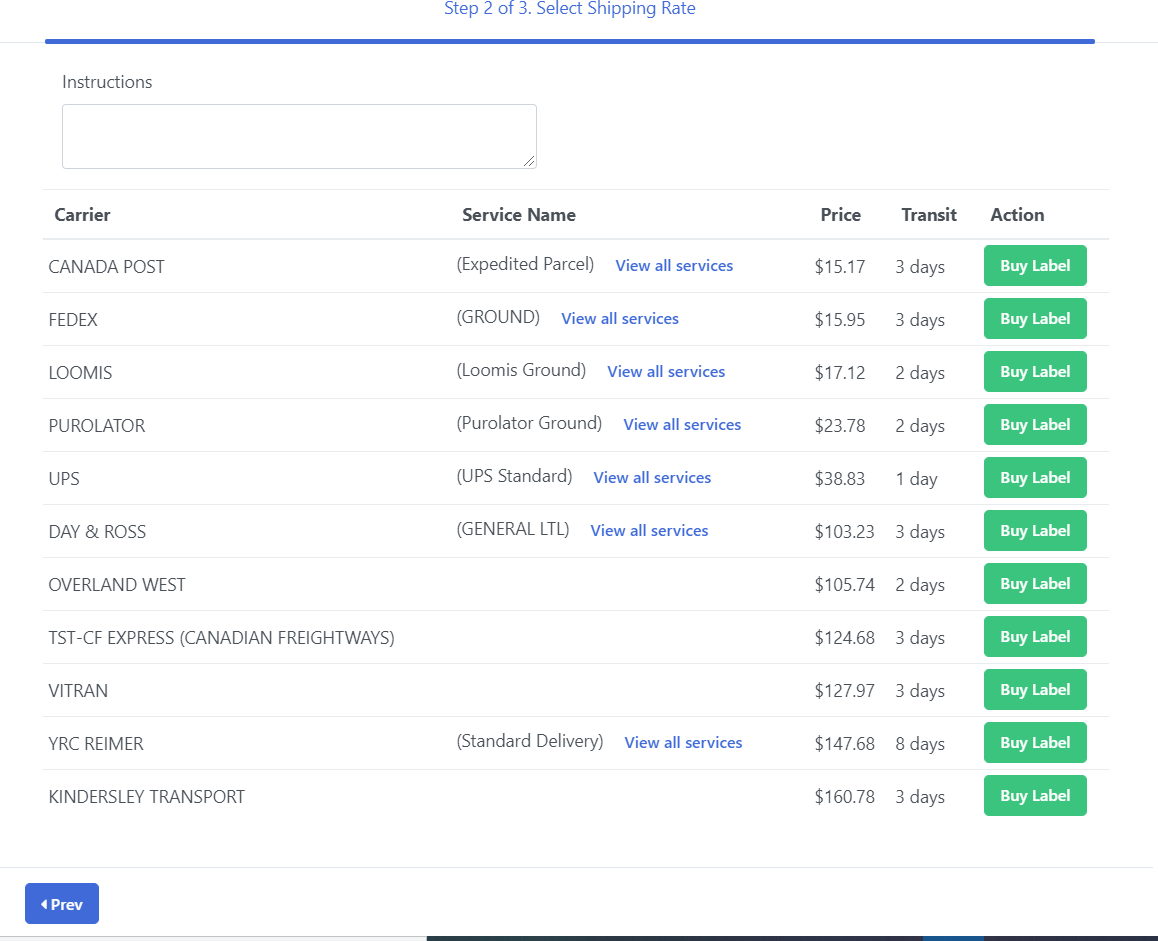
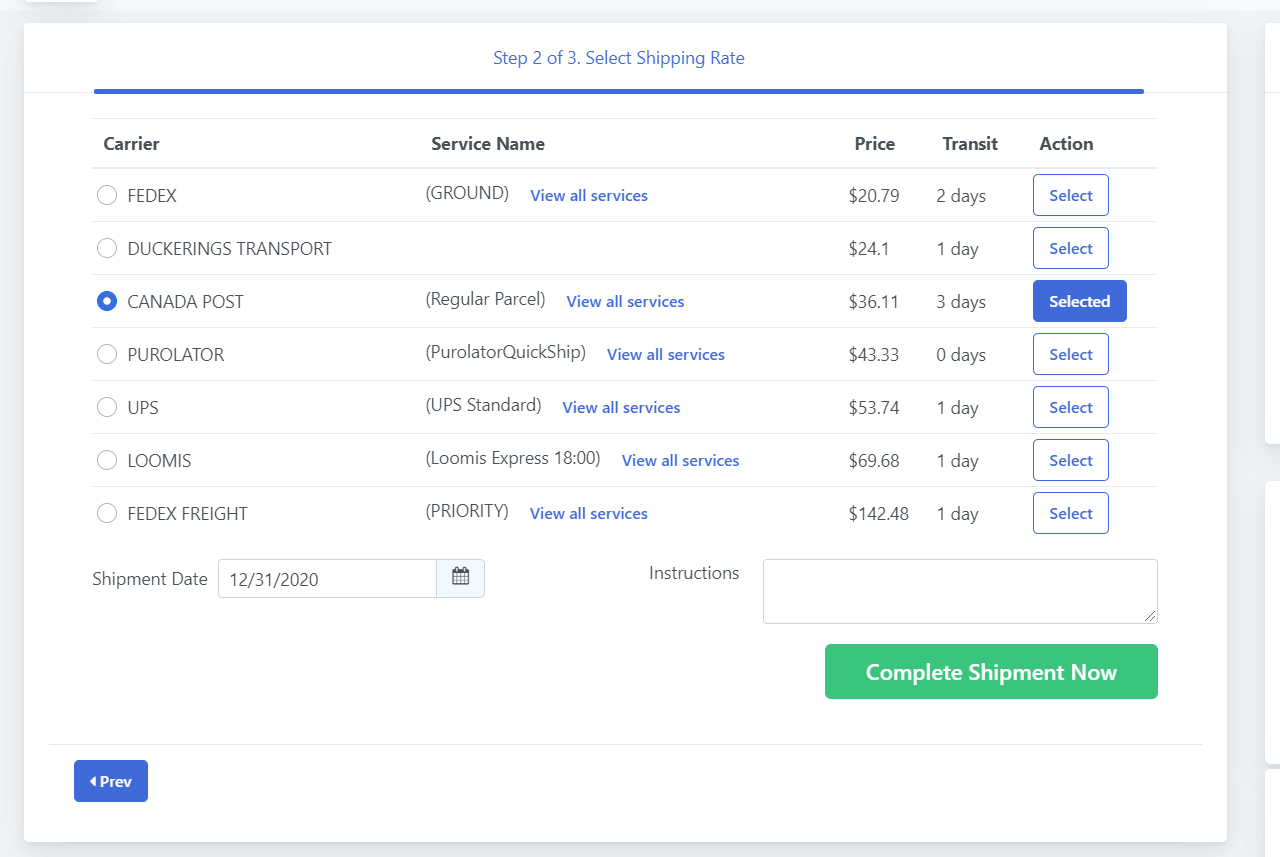
Order shipment screen has new changes. Now carrier rate listing does not have "Buy Label" button. User will need to select that carrier record and will need to click "Complete Shipment Now" button in order to complete shipment booking.
Previouly it was as below.
Now, it have a select button and Complete Shipment Now button.
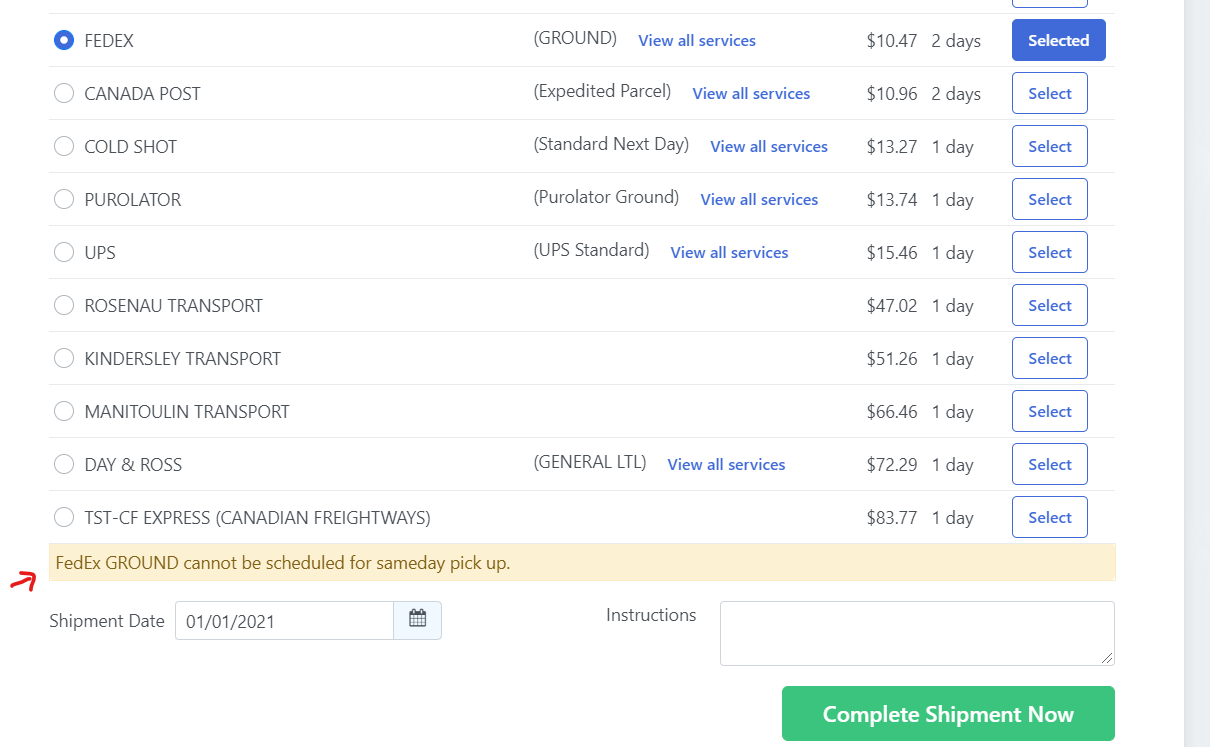
It may display special instruction message for selected carrier/service.
[Design enhancement & message display] When user select carrier & that carrier have special instruction before booking/scheduling shipment.
[Design enhancement] When user select carrier service option from "View All Services" popup, it will display as below to make difference in view.

Previouly it was as below.
Now, it have a select button and Complete Shipment Now button.
It may display special instruction message for selected carrier/service.
[Design enhancement & message display] When user select carrier & that carrier have special instruction before booking/scheduling shipment.
[Design enhancement] When user select carrier service option from "View All Services" popup, it will display as below to make difference in view.
Copyright © SMARTTShipping 2026